
Invelya Demo

Maple Gate Warehouse - Montreal

Choose LIVRAISONS on the left of the gatehouse. VISITEURS on the right leads to the car parking area.
Entrance

Choose LIVRAISONS on the left of the gatehouse. VISITEURS on the right leads to the car parking area. Fictional demo photograph — not for actual deliveries.

Guide tools

Keep this guide offline

Save this language and its guide pictures on your personal device before travelling. Copies last up to 24 hours, or until this delivery link expires or a scheduled notice changes.

Saved guides

Offline saving needs JavaScript and browser storage. Open this guide directly in Safari or Chrome.

While offline, changes and revoked access cannot be checked. Refresh before each trip. Maps, messages and editing need a connection. Signing out removes saved guides from this browser.

Translation details

Addresses, product names and photo captions stay in their original form. Follow current site directions.

This is a demo guide.

Delivery location

100 Demo Industrial Road, Montreal, QC, H1A 0A1, CA

Fictional location. Maps and calls are disabled in the demo.

Guide updated Oct 12, 2026

Not yet reviewed

Latest change

Fictional demonstration guide

Site overview

Fictional demonstration site. Do not use this guide for an actual delivery.
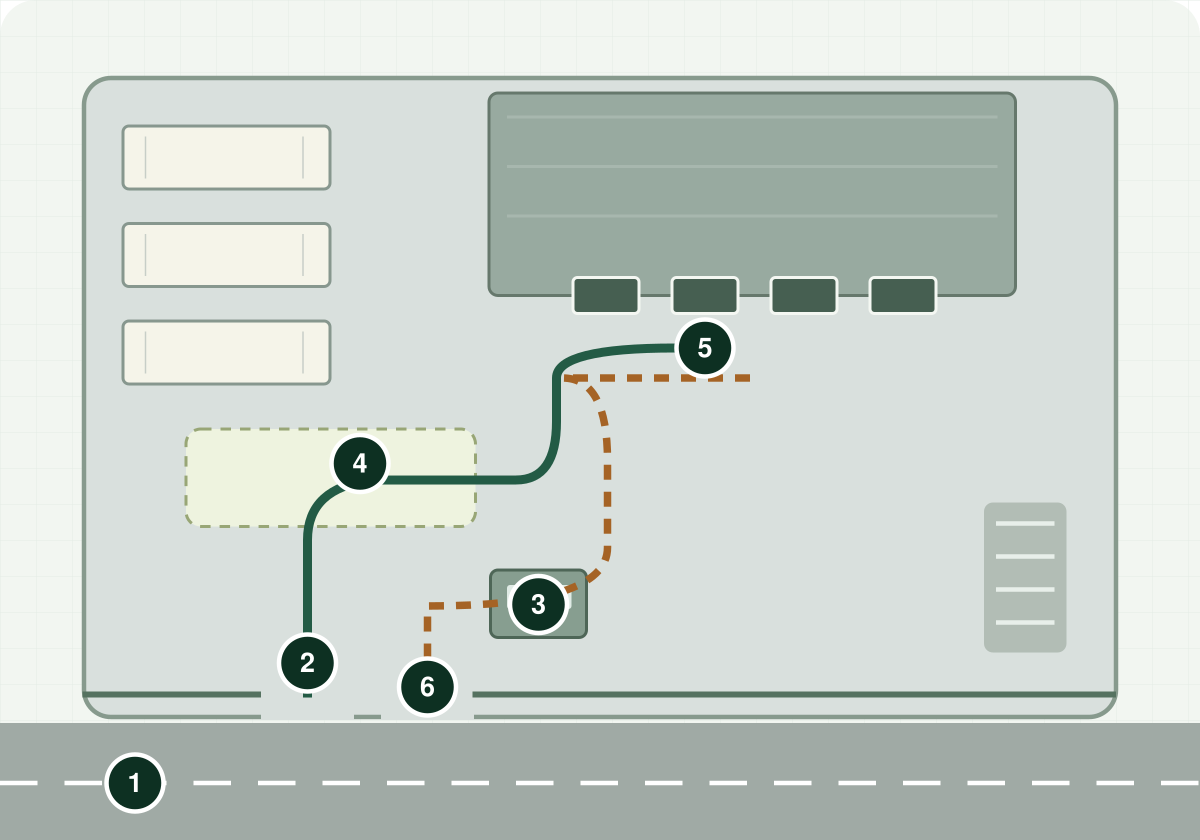
Fictional site overview with numbered entrance, check-in, waiting area, receiving point and exit; arrival and departure paths.
1 Approach road · 2 Truck entrance · 3 Check-in · 4 Waiting area · 5 Receiving point · 6 Exit. Green: arrival. Dashed amber: departure. Illustrative fictional site plan, not to scale or for navigation.
Arrive prepared Read preparation information

Site paperwork

Have your appointment and delivery reference ready. Follow the receiving team's instructions for any additional documents.

1

Approach

Plan the final approach

Road and approach instructions

Approach the truck receiving entrance from Demo Industrial Road. Confirm the posted vehicle restrictions before entering.

2

Entrance

Find the correct entrance

Entrance instructions

Use the receiving gate shown in the photo. Other gates and service lanes are not the truck receiving entrance.
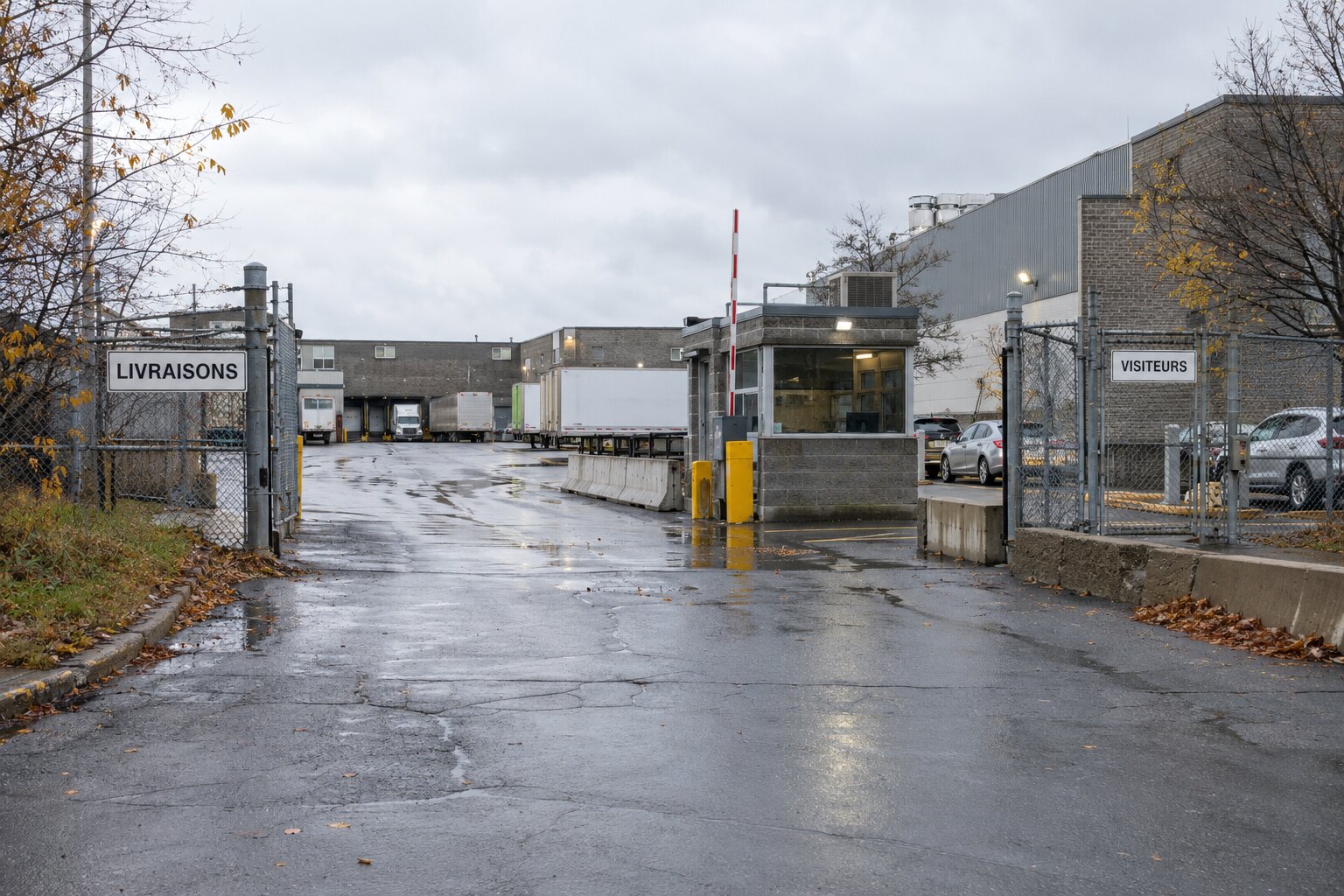
Choose LIVRAISONS on the left of the gatehouse. VISITEURS on the right leads to the car parking area.
Choose LIVRAISONS on the left of the gatehouse. VISITEURS on the right leads to the car parking area. Fictional demo photograph — not for actual deliveries.
3

Check-in

Know where to stop and check in

On arrival

Stop at the marked waiting line. Have your appointment and delivery reference ready.

Security and check-in

Check in with the receiving desk before entering the yard.
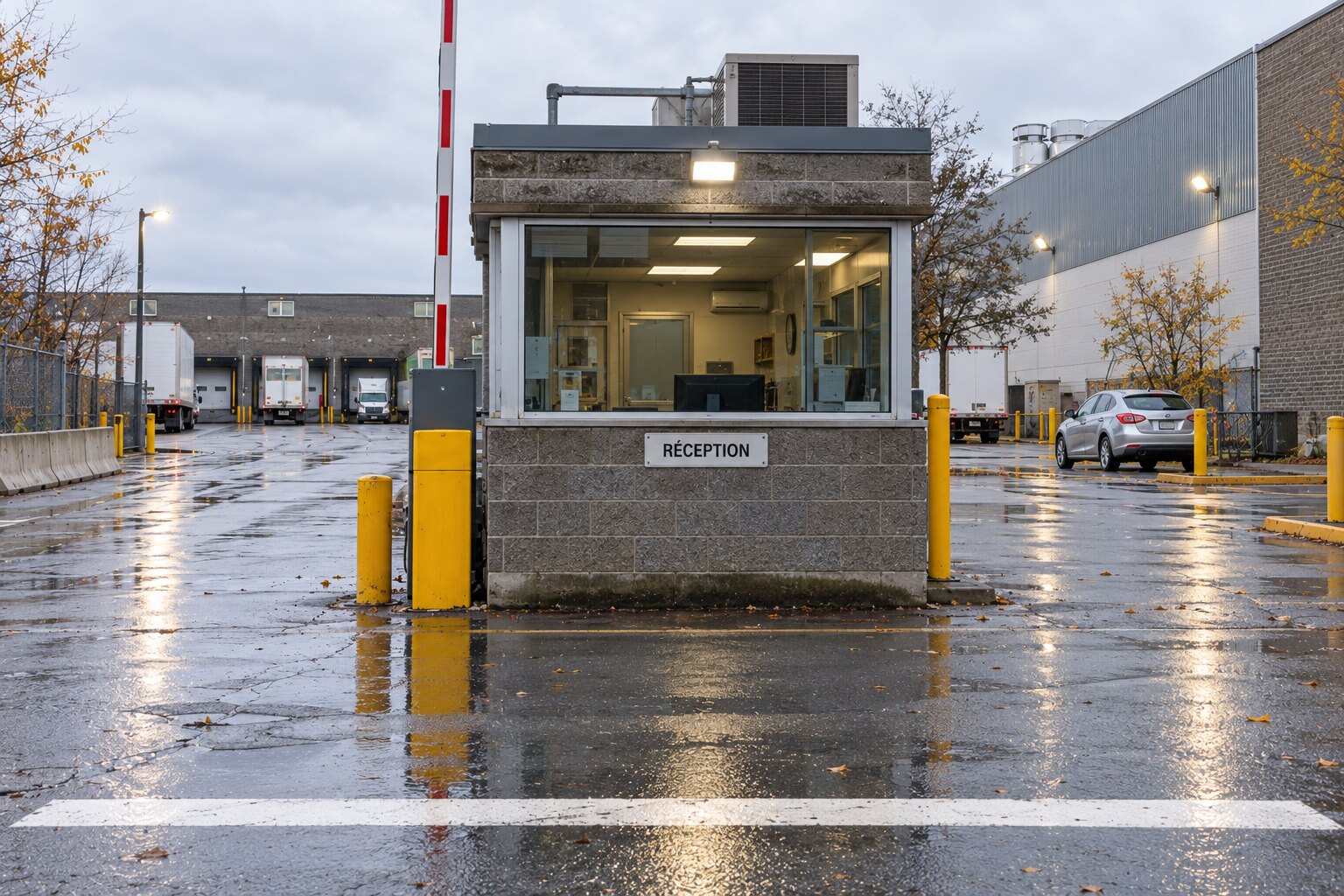
Stop before the white line and check in at the RÉCEPTION window. Keep the gate lane clear while waiting.
Stop before the white line and check in at the RÉCEPTION window. Keep the gate lane clear while waiting. Fictional demo photograph — not for actual deliveries.
4

On-site route

Reach the delivery area

Yard route instructions

Follow the marked lane to the receiving building.

5

Delivery area

Locate the loading / unloading point

Site loading / unloading instructions

Wait for the receiver to assign a loading bay.
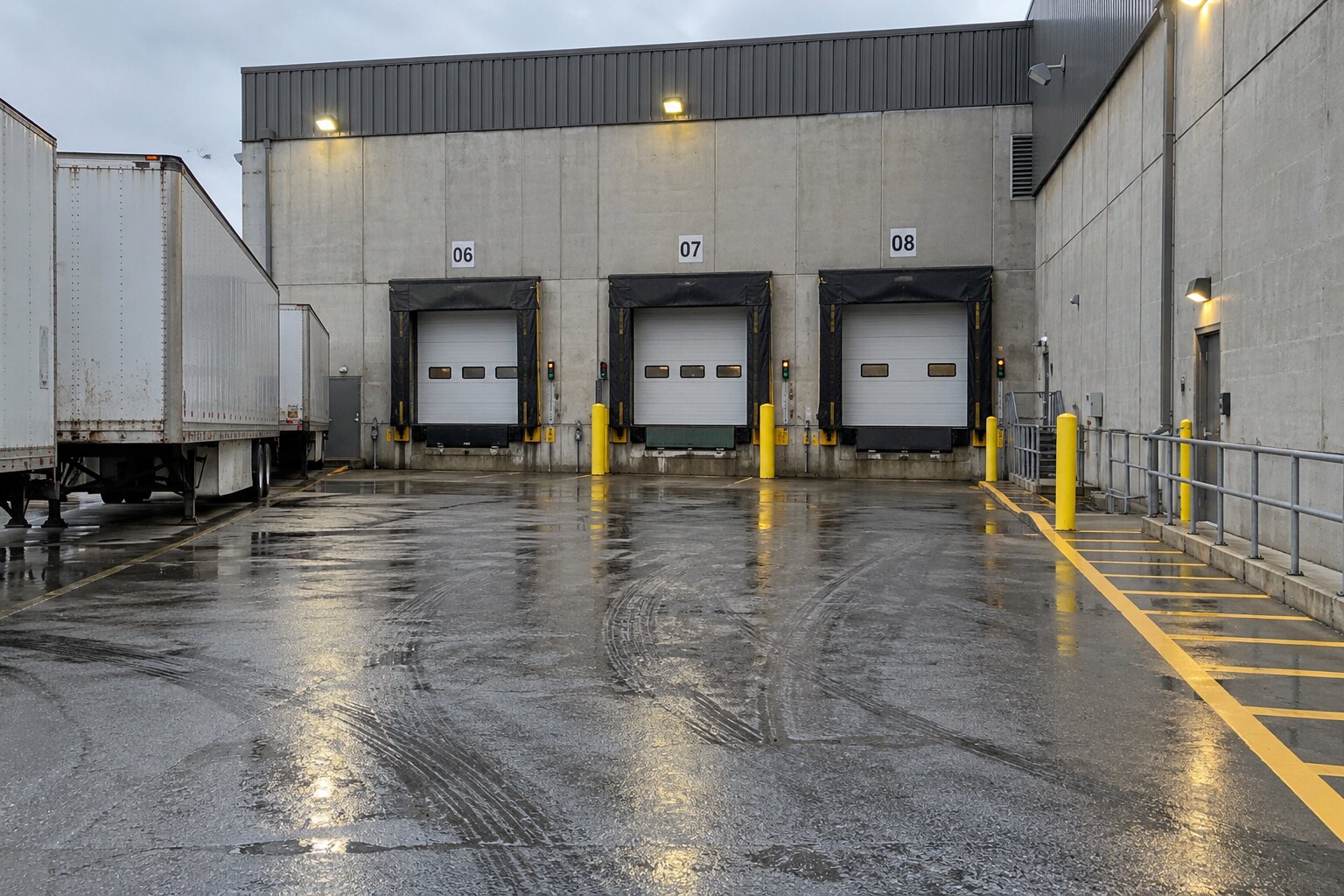
Dock 07 is the sample receiving point. Confirm your assigned dock before positioning; keep the protected walkway on the right clear.
Dock 07 is the sample receiving point. Confirm your assigned dock before positioning; keep the protected walkway on the right clear. Fictional demo photograph — not for actual deliveries.
6

Exit

Leave by the correct route

Exit instructions

Follow the signed exit lane.
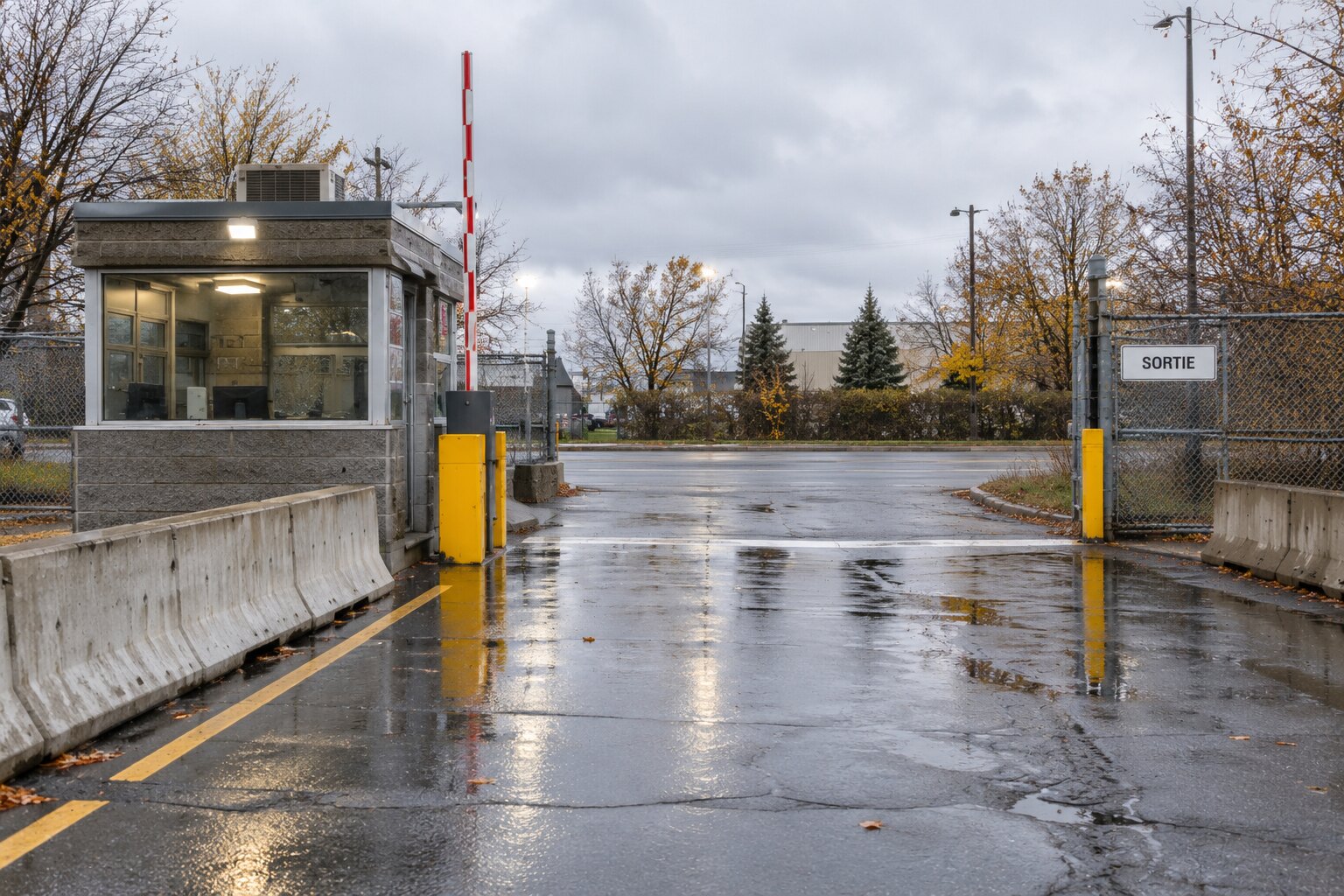
Leave through the SORTIE lane. Stop at the boundary line before joining the road.
Leave through the SORTIE lane. Stop before joining the road. Fictional demo photograph — not for actual deliveries.

Driver facilities

Use the marked waiting area beside the receiving desk.

Site contact

Monday–Friday, 08:00–16:00

INVELYA

AI

Working on your guide

Please wait…

Keep this page open while Invelya AI works.